
Not one grey silhouette
in your save.
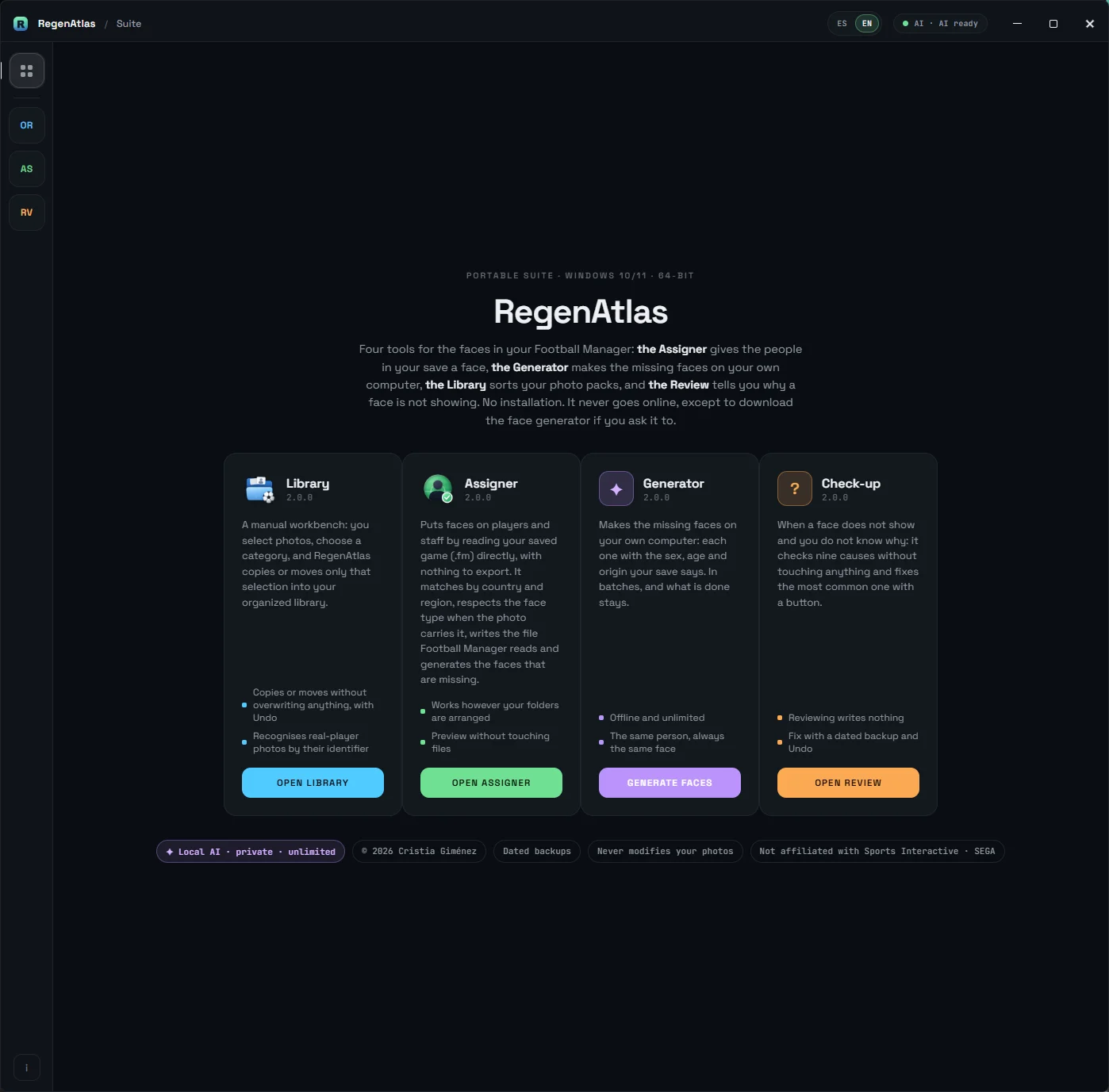
RegenAtlas puts faces on the regens and staff of Football Manager 2024 with the photos you already have. And anyone left without a photo gets a new face made just for them, on your own PC. Originals never touched, and everything can be undone.
Three steps and one button.
Nothing to export from the game, no filters, no editing its files by hand: RegenAtlas reads your saved game directly.
In Football Manager, save your game as usual. That's it — nothing else to export.
Pick your photo folder and your saved game (the .fm file). Press PREVIEW, check the numbers, press PUT FACES. People still missing? GENERATE the rest.
In FM: Preferences → Interface → Reload skin. The faces appear.
The faces you're missing,
it makes them.
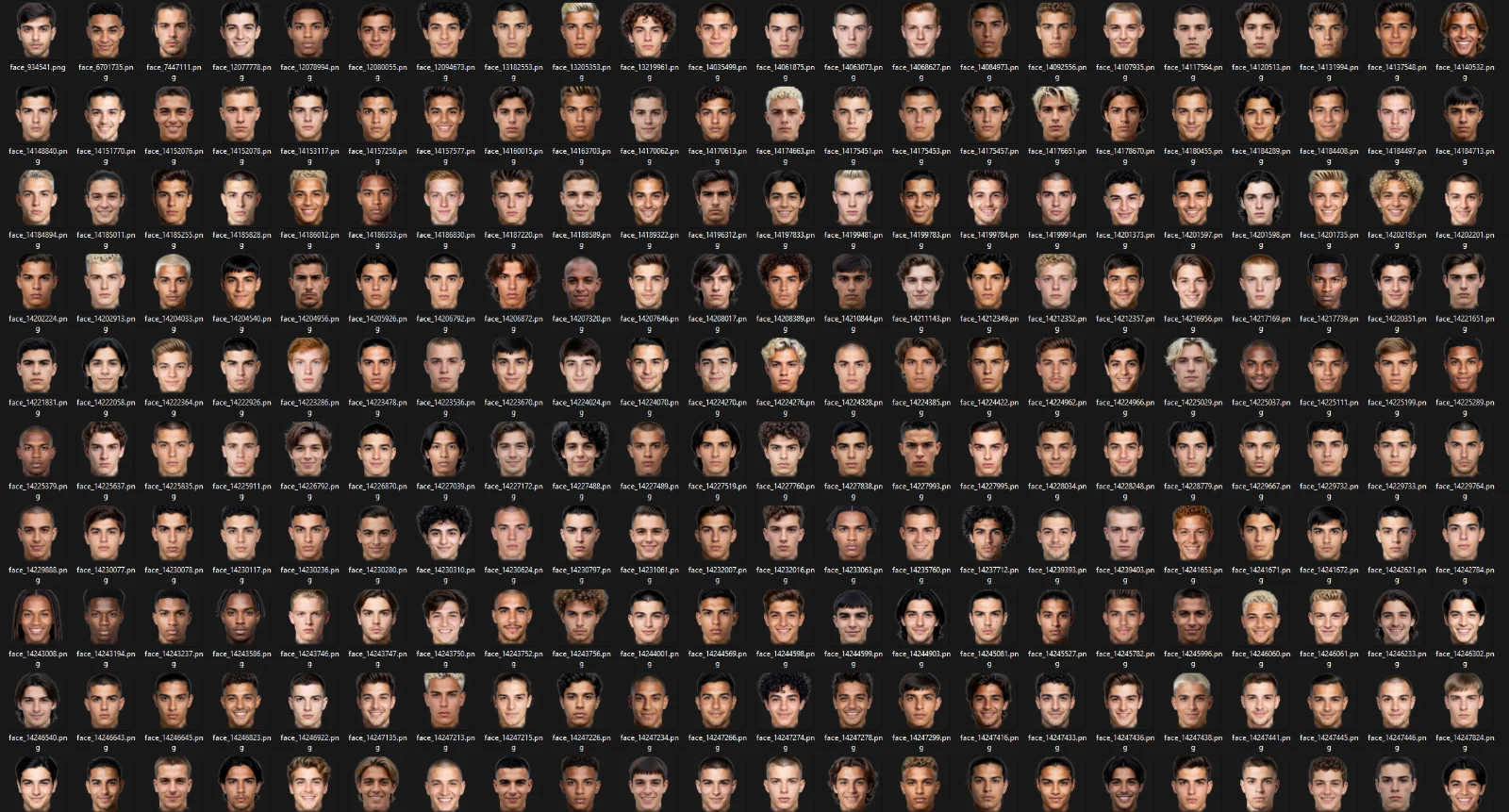
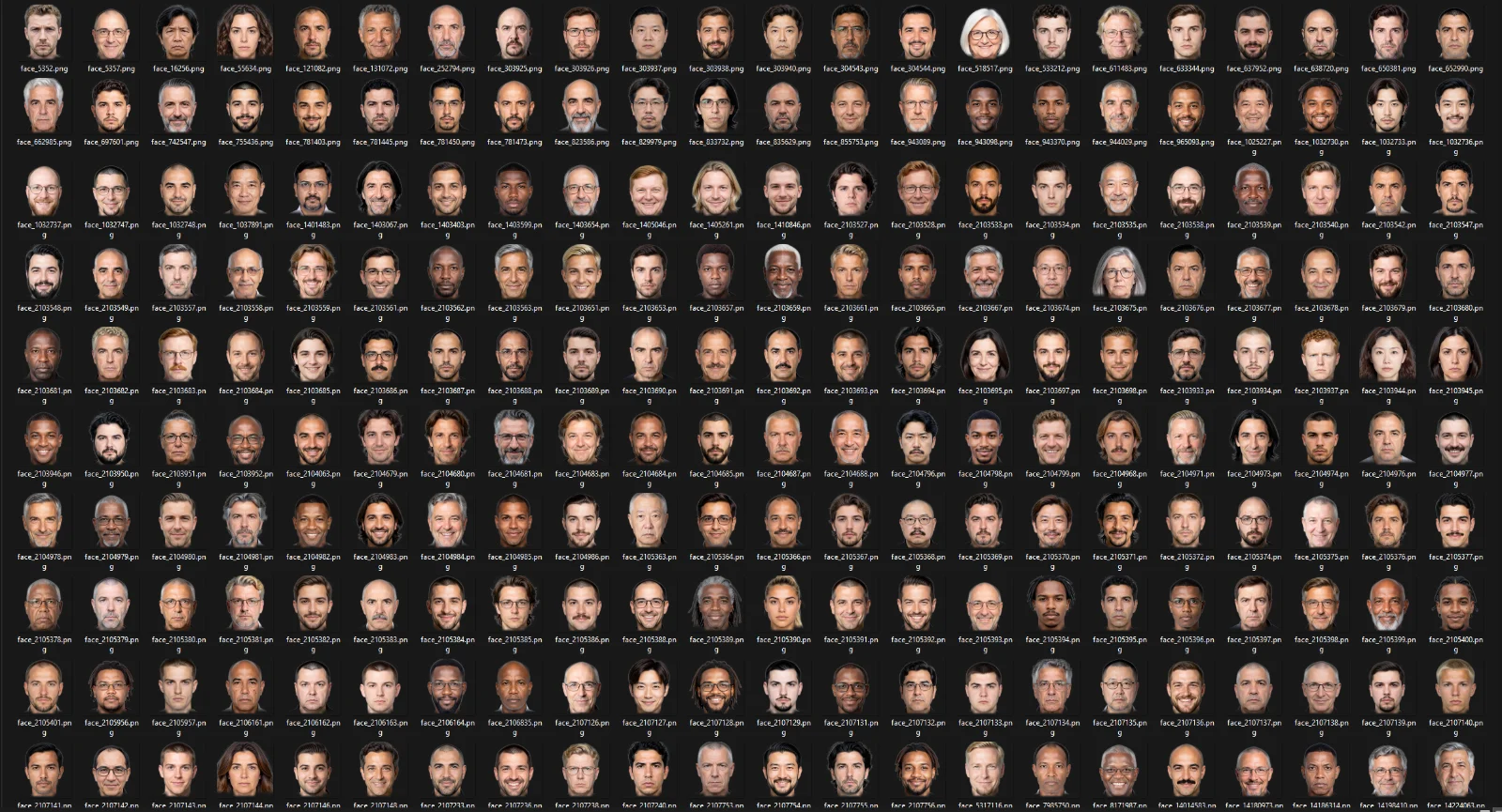
Packs run out: someone always ends up as a silhouette. When the assignment finishes, RegenAtlas offers to make the missing faces — on your PC's graphics card, with no connection and no limit. Every face is made for its person: man or woman as the save says, the right age (footballers between 18 and 25; staff, adults) and the look of the country the save gives them. And the same person always keeps the same face: delete the folder, generate again, the same face comes back.
- Real variety: haircuts, beards, ages, expressions, glasses, light. Measured over thousands of faces — no clones.
- In batches, as many as you like, and you can stop whenever: what's done stays, and the next batch picks up where it left off.
- Leave the PC generating and walk away: Windows won't go to sleep until it finishes.
- «Take it easy» mode: rests the graphics card between faces so you can keep using the PC meanwhile.
- The generated faces are yours: they go to your folder, get used like any other photo, and cost nothing extra.
- A few seconds per face, depending on your card.
- What the generator needs: a graphics card with 8 GB of memory or more. Only the generator needs it — the rest of the program works the same without it.
- A single 5.2 GB download with the «Prepare the generator» button, only if you ask for it. It can be paused and resumed.
- Without a compatible card it runs on the processor: it works, but takes minutes per face instead of seconds, and the program tells you so.
Looks at your save, looks at
your photos, and deals.
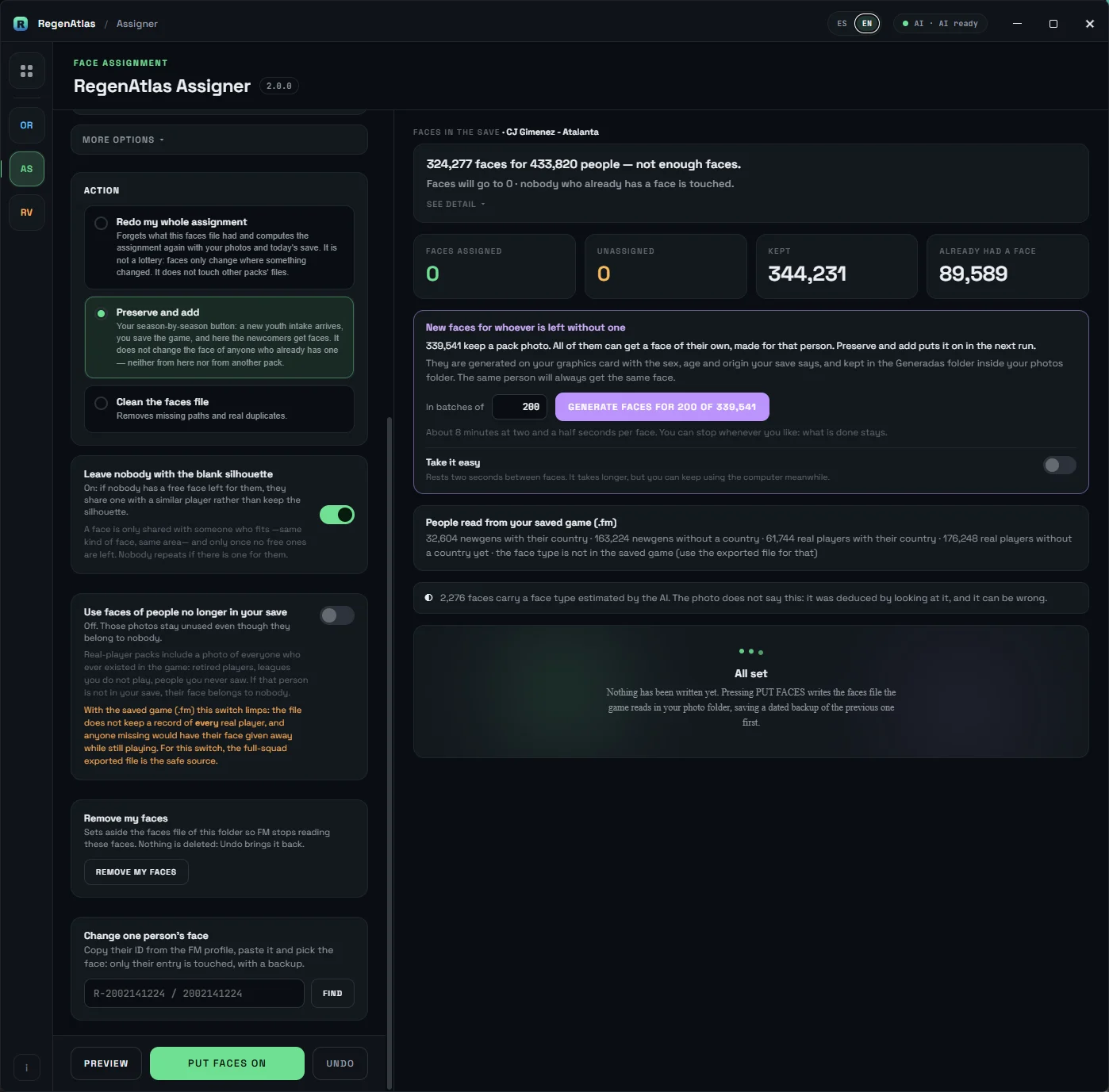
It reads your saved game directly, in seconds: it knows who's a man and who's a woman, where every generated player is from, and who plays and who works. Every person gets a face that fits.
- Works with your folders as they are: it reads what each photo says in its own filename, no reorganising required.
- Look first, write later: the preview touches nothing and tells you, with your numbers, how many people, how many photos, and how many will be shared.
- Respects what you have: by default it only fills gaps, changing nobody's face. Redoing everything is an option.
- Nobody stays grey: if no free face is left, it shares a compatible one rather than leave the silhouette.
- Everything can be undone: dated backup before writing, and an Undo button.
- Change one specific person's face by their ID number.
- Several saves with the same photo folder, without stepping on each other.
- Warns about photos deleted by hand and fixes it with one button.
Your face collection,
for good.
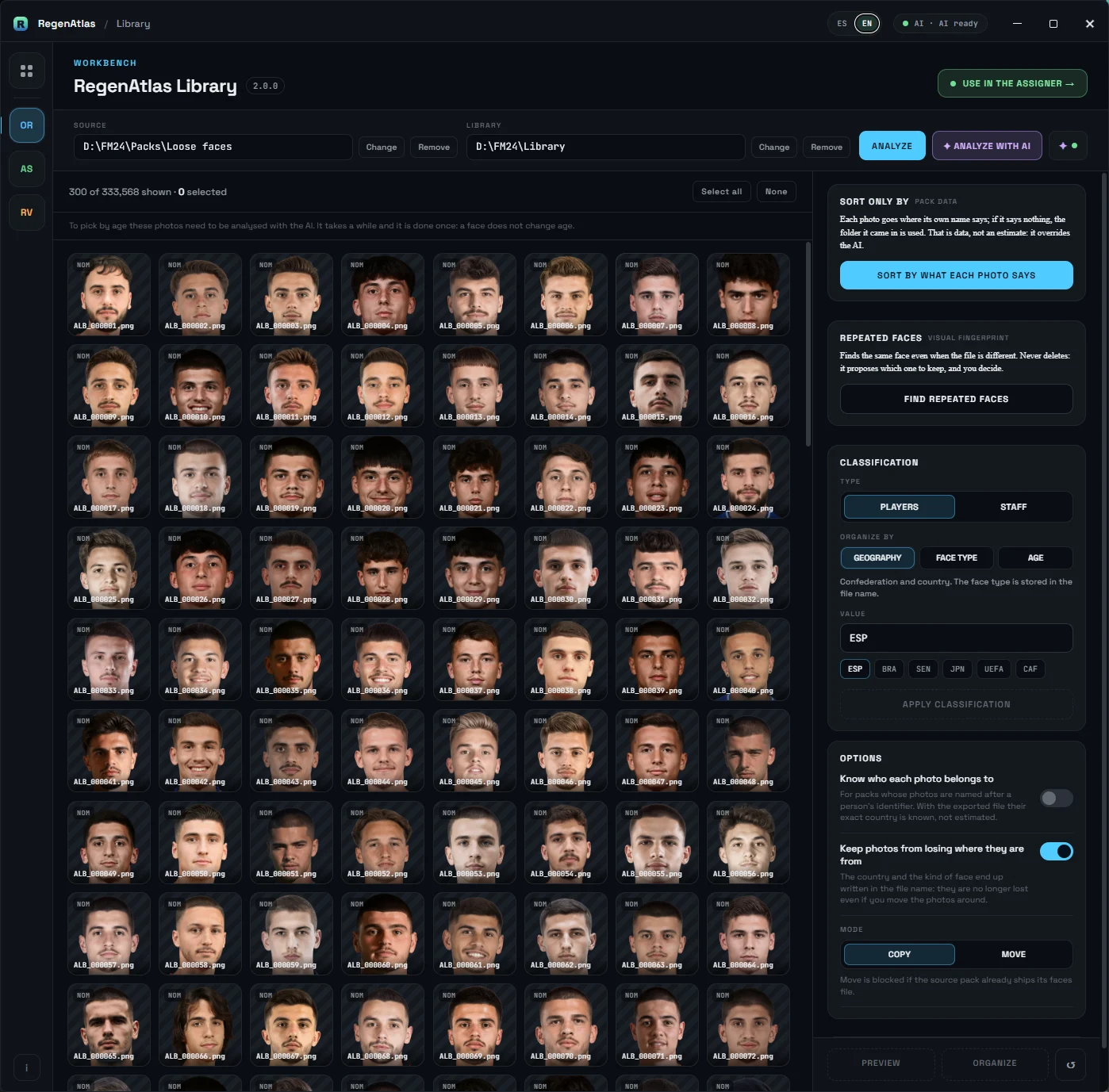
Packs come and go with every game version; the collection you've built doesn't. The Library merges loose packs — downloaded from different places, with different names and folders — into one collection of yours, tidy and free of duplicates.
- Reads what each photo says in its name and sends it to the right folder: by country and region, by face type, or by apparent age.
- Finds duplicate faces even when the file differs: it compares how they look, not what they're called. It proposes which to keep — you decide.
- Never deletes: duplicates are set aside and can be brought back.
- Copies or moves without ever overwriting a file, with real Undo.
- Cancel mid-way: what's done stays consistent and undoable.
- Genuinely fast: minutes, not hours.
A small AI running on your PC estimates each photo's features and apparent age, to classify the ones whose names carry no data. No connection, and everything estimated stays marked as estimated. It's not the generator: one looks at photos, the other makes them.
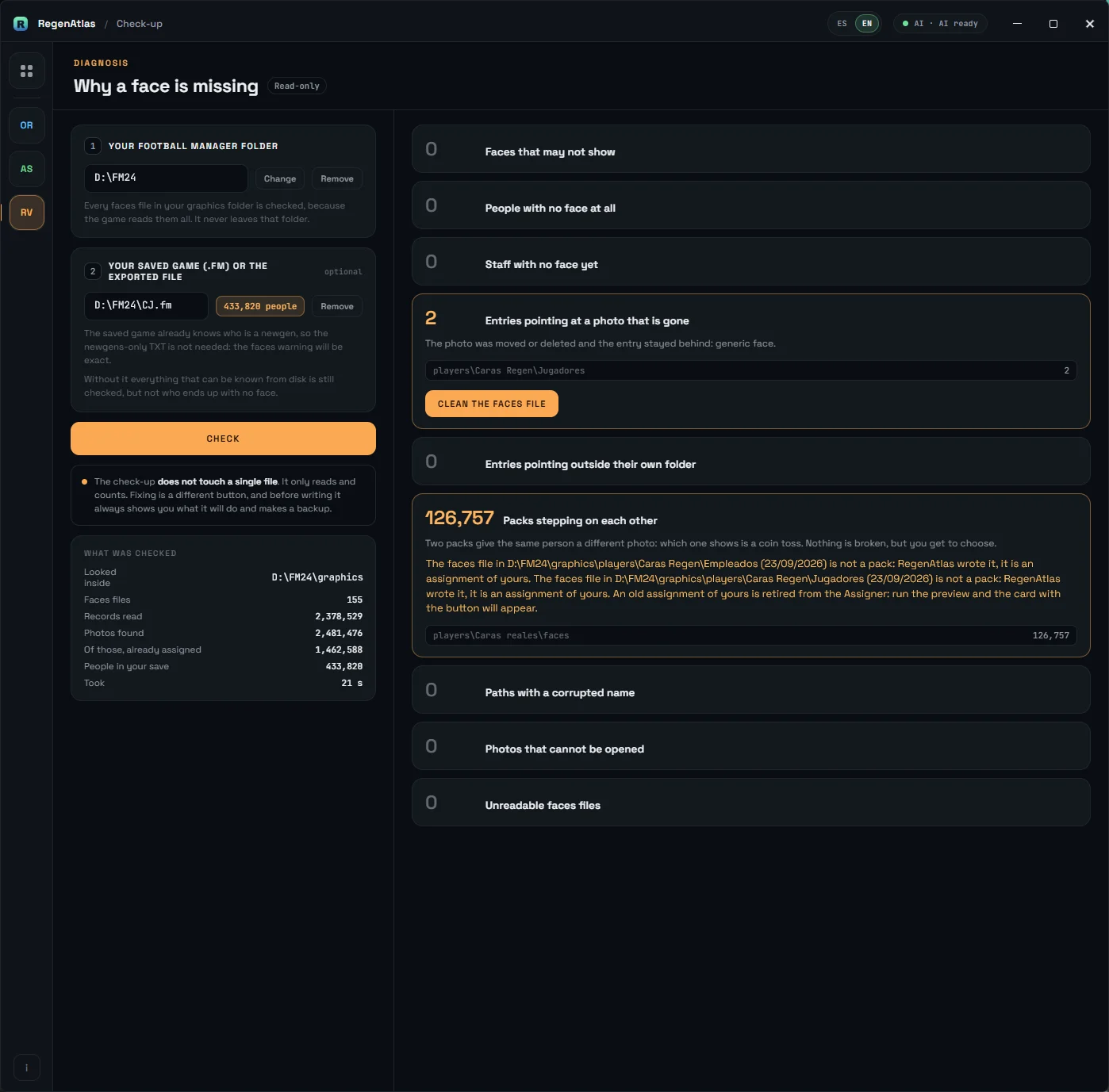
When a face won't show
and you don't know why.
Pick your photo folder (and your save, if you like) and press CHECK: it tests nine reasons a face may not appear in the game, touching nothing. The most common one — the famous regen face bug — is fixed with one button, with a dated backup and Undo.
What we promise.
And what we don't.
It never modifies or deletes original photos. Copying, moving or renaming is another matter: the content of an image is never edited.
Everything it writes carries a dated backup and an Undo button. And the preview writes nothing, on any screen.
Not to activate, not to work. The only download is the generator, once and only if you ask. No telemetry: not one byte of your activity leaves your PC.
One program in one folder: about 10 MB, or 85 with the classifying AI. The generator: 5.2 GB, separate and optional. It uses a piece Windows already ships (WebView2); if it's missing, the program says so and links the download.
Spanish and English, reports included. And if something fails, it leaves a log you can send to support.
It doesn't download face packs: you get those where you always did. It's for Football Manager 2024. The classifying AI estimates features and apparent age, not nationalities. And the generator seeks no resemblance to anyone: it invents one face per person.
Get RegenAtlas
One payment of €9.99, no subscription. A single portable program with the Assigner, the Face generator, the Library and the Check-up inside. Windows 10/11, 64-bit: unzip and go.
No install · no sign-up · README included · Windows 10/11 · 64-bit
Questions before buying? Write to soporte@regenatlas.com.
Frequently asked questions
Does it need an Internet connection?+
No: not to activate, not to work. The only possible connection is preparing the face generator, a 5.2 GB download made once and only if you ask for it (it can be paused and resumed). Your photos never leave your disk.
How does the key arrive?+
By email, minutes after buying. You type it once into the program and that's it: it never expires and needs no connection. If you switch computers or reinstall Windows, you type it again. Lost it? Write to soporte@regenatlas.com with your purchase email and we resend it.
What do I need to generate faces?+
A graphics card with 8 GB of memory or more. Without a compatible card the generator runs on the processor — minutes per face instead of seconds, and the program warns you. The rest of the program doesn't depend on this at all.
Are the generated faces mine?+
Yes. They are made on your PC, go to a folder of yours, are used like any other photo and cost nothing extra. The generator doesn't copy real faces or anyone's: it invents one face per person, and the same person always gets the same face.
Can it break my photos or my save?+
It never modifies or deletes original photos. Everything it writes carries a dated backup and an Undo button, the preview writes nothing, and your save is only read.
Does it work with other Football Manager versions?+
RegenAtlas is for Football Manager 2024.